
SEO Increases Digital Visibility
March 30, 2017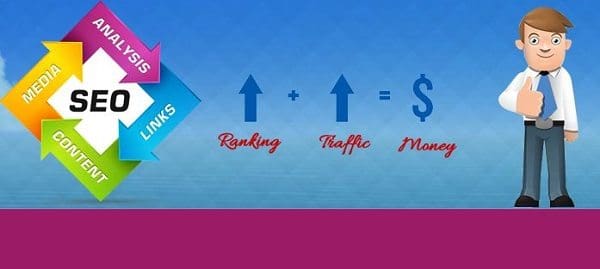
Digital Marketing Beyond SEO
April 1, 2017
There are many tools that make you more productive in today’s digital world. But finding the right tools for you can become a career unto itself. After years of trial and error, here are my top 5 online tools.
With my re-entry back into the entrepreneurial landscape in 2005, I had to start over, from scratch. I was in a new industry with many new “Internet” tools being introduced almost daily. Since then some have expanded and gotten better, others faded and died, and new ones have sprung onto the playing field.
I began with email, after all, it was the most basic digital communication system and remains so today. In recent years there many new communication toys like WhatsApp, Facebook Messenger, Hangouts, Viber, and others, plus all the social media platforms. But email, which may seem old school, outdated even, is still a powerful tool that integrates with other tools you use daily, like calendars.
I had used many different email systems over the years, including MSN, Yahoo, and AOL. But when you’re running a business, you really need a branded domain — me@mycompany.com. So Google was the one I chose — because it had many domains and wanted a way to manage them all in the same space. Since adopting G Suite back in 2011, it has evolved into Google Workspace. They were the first to really get it right on two fronts: a seamless access point and easy usability. I had used Outlook for years, but found I was only using about 40% of its capabilities, so it was overkill. Since then, Microsoft launched Office 360. A client of ours set up a user account for me while I was working with them, but I found it cumbersome. So Google Workspace is still my best recommendation for any small business (select the business standard plan, it will be more than enough, and basic is being retired)
My favorite Top 5 Online Tools For Business
- EMAIL – Using Google Workspace I now managing 21 domain emails all in the same place. Plus, many other everyday tools are provided by Google, such as contacts, analytics, calendar, Meet video calling and chat, spreadsheets, and presentations. Google Drive also eliminates the need for Dropbox.
AUTOMATION IS TO YOUR TIME WHAT COMPOUND INTEREST IS TO YOUR MONEY!
— Rory Valen
For example, the simple chore of entering a contact’s information into each of your online tools—say, your email, billing, and project management systems —is redundant. Enter it in one place and sync it to the others, and you’ve just reduced that effort by 60%.
You may think that adding contact info is but minutes, so if you have to add it in three — or more — places, it’s only 10 or 15 minutes. But as you begin to gain more clients, scale that up. Now consider other pipelines like inbound marketing, outbound sales, and collaboration, and suddenly those minutes expand exponentially to the point of diminishing returns. Lastly, using Google Workspace as a foundation tool, you can easily sync with other tools that you may use with a single click.
- CUSTOMER RELATIONS MANAGEMENT (CRM). There are several CRM systems out there. The ones that I have used that stand out include HubSpot Pipeline CRM, Nutshell, and Zoho CRM.
- If you’re looking to manage sales leads on a small scale, then Pipeline Deals and Nutshell are both very good. They fell short because while they had automated task creation, they didn’t have automated email triggers.
- HubSpot, as a stand-alone CRM, is very likely the best available and can handle not only CRM functions but also landing pages and many other features.
- Zoho CRM is a close second but offers the added ability to sync seamlessly with 40 other Zoho products, including billing/accounting, client subscription management, project & task management, social media posting and monitoring, meeting scheduling, and an internal private social media network, to name just a few.
- MARKETING. There are many tools for online marketing. But keep in mind that, at its core, marketing is simply telling a story — the tools are how to get that message out to the world. So the very first step is to establish your brand bible – the narratives that you should then use consistently across all the tools, including your website, social media pages, posts, and advertising. Here are some tools to build brand awareness:
- SEO ranking. SEO management has become more complex over the years, and many simply outsource that task to experts. However, if you have the time and attention to learn it yourself, there is a tool called DiiB that is cost-effective and easy to use.
- Social Media is a major marketing channel, not just because you can reach new potential customers, but also because existing customers can become evangelists for your business with reviews and sharing. There are several good social media posting tools, such as Buffer, Hootsuite, and others, but I found eClincher to be the best because it offers more connections and better reporting. You can all get a multi-functional dashboard, including social media management, on the Incognito Worldwide dashboard.
- Location-based Directories. Every directory you’re listed in provides more exposure for your business. However, keeping them all up to date with accurate information can be daunting. Moreover, there are many you may never even know about. This is where PowerListings comes in: it provides a single dashboard for you to add, modify, and/or delete content, which then updates across the 75-directory network automatically.
- ADA Compliance. The Americans with Disabilities Act is why when you go to restaurants (or other venues) there are disability ramps. Catering to the disabled has now expanded to the Internet and websites. Being ADA-compliant will mitigate your legal exposure and give you access to an untapped 15% of the population. The AccessiBe widget is the best way we’ve found to make your website compliant and maintain that compliance automatically. Get the details about AccessiBe here.
Have questions? We have answers, ask us.