
Content Accessibility Guide and new WCAG 2.2
January 14, 2026
Selecting the right Customer Relationship Management (CRM) platform is one of the most important technology decisions a small business can make. The right CRM improves lead tracking, customer engagement, automation, reporting, and long-term scalability, increases productivity, and reduces redundancy. The wrong system can create workflow friction and slow growth.
CRMs can vary in cost and functionality, so it is important first to define your goals. If your goal is to capture leads, email them, and retain that information, here is a low-cost platform. You can create a free account by selecting Local SEO, then subscribing to the productivity tools you need. The CRM is included FREE with any subscription. A perfect companion to the CRM is the AI ChatBot, which can answer any questions your business visitors ask, book meetings for you with visitors, email you both, and add it to your calendar. You can also then access and review the conversation before that meeting.
If you are evaluating CRM platforms, it’s helpful to understand how CRM systems fit within your broader online business tools ecosystem:
You may also want to review:
- CRM Tools Explained
- CRM Automation Tools
- Integrated Business Platforms
- Business Technology Stack Planning
For additional background reading:
Step 1: Define Your Business Goals
Before comparing CRM platforms, identify what you want the system to accomplish:
-
Lead management and tracking
-
Sales pipeline management
-
Marketing automation
-
Customer support tracking
-
Reporting and forecasting
-
Workflow automation
Clearly defining goals ensures you choose a CRM aligned with operational needs.
Step 2: Evaluate Core CRM Features
Most small businesses should look for the following capabilities: 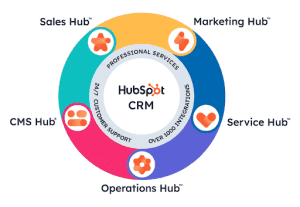
-
Contact and lead management
-
Pipeline tracking and forecasting
-
Email and communication tracking
-
Workflow automation
-
Reporting dashboards
-
Mobile access (many CRMs have a downloadable mobile application)
Advanced organizations may also require integration with accounting, marketing, and automation tools within a unified ecosystem. It is worth considering whether you need automated email triggers. Some stand-alone CRM systems can trigger a task notification to send an email, but not actually send it automatically. For small businesses, the leading two fully automated CRMs are HubSpot and Zoho CRM. If you don’t require automated triggered email sending and are looking for a CRM, focus on managing sales engagement and tracking. PipelineCRM and Nutshell are both very good.
Step 3: Consider Integrations
Your CRM should integrate seamlessly with:
-
Email marketing platforms
-
Marketing automation tools
-
Accounting software
-
Customer support systems (support tickets, or project/ task management systems)
-
Analytics platforms
Businesses building a scalable technology ecosystem should ensure CRM tools align with their business technology stack planning strategy.
If you’re thinking about building an integrated technology stack, our sister company, A2Z Business Consulting, can assist: we’ve demoed and reviewed hundreds of systems, including CRMs. We can provide informed guidance on the Right CRM for Small Businesses based on their desired goals. We can also install and configure the system you choose. Schedule a FREE video call meeting consultation to discuss your business and project(s).
Step 4: Compare Integrated Platforms vs Stand-Alone CRM Systems
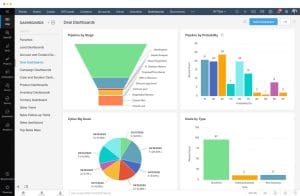 Some businesses choose integrated ecosystems such as Zoho One, which integrates everything — from CRM to accounting and billing, to subscription management, HR, project management, private social communities, communications, and more in one ecosystem, as does Odoo, or Hubspot, which integrates functionalities to manage all your marketing and sales automation. Others prefer stand-alone CRM systems paired with specialized applications.
Integrated systems offer centralized data and automation advantages, while modular stacks provide flexibility and specialized functionality. Many growing companies adopt hybrid technology environments.
Step 5: Evaluate Pricing and Scalability
When comparing CRM solutions, evaluate:
-
Monthly subscription costs
-
Per-user pricing models
-
Feature tier limitations
-
Implementation and training costs
-
Scalability as the business grows
Choosing a CRM that scales prevents costly system migrations later. Planning is key: doing thought exercises and brainstorming first saves redoing things later. It is not about what is “the best” system; it comes down to which is the “best system for your business.”
Step 6: Test Before Implementing
Most CRM providers offer free trials or demo environments. Testing workflows, integrations, and reporting capabilities ensures the system meets real operational needs before full implementation.
FAQs – Choosing a CRM for Small Businesses
What is the most important factor when choosing a CRM?
The most important factor is selecting a CRM that aligns with your business workflows, integrates with existing tools, and supports long-term scalability.
Should small businesses choose integrated CRM platforms?
Integrated platforms are ideal for businesses that want centralized systems and automation across departments, while stand-alone tools may suit businesses needing specialized functionality.
How long does CRM implementation typically take?
Implementation timelines vary from a few days for simple systems to several weeks for complex integrations and automation workflows.
Is it difficult to migrate from one CRM to another later?
Migration can be complex and time-consuming, which is why selecting a scalable CRM early is highly recommended.
How many users should be included when selecting a CRM plan?
Businesses should estimate both current and projected team size to ensure pricing and licensing remain sustainable as the company grows.